 Hypno
HypnoHypnobirthing App for Android: Pregnancy Meditation, Labour Breathing and Birth Preparation
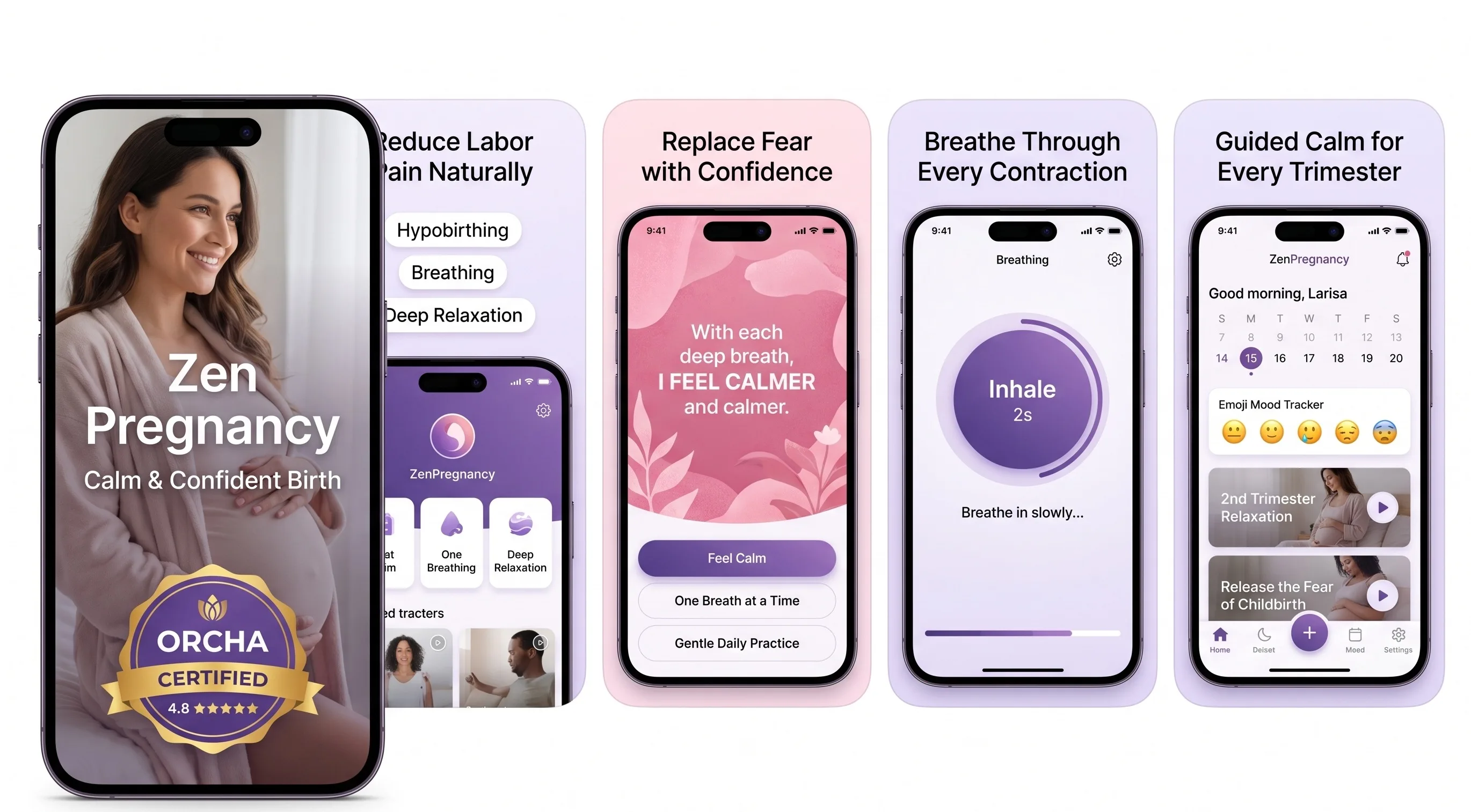
200,000+ mums • ORCHA NHS Certified • Free on iOS & Android
HypnoBirth App UK is a free ORCHA-reviewed hypnobirthing app for iPhone and Android, built to support pregnancy meditation, labour breathing, birth affirmations, relaxation audio, birth planning and practical preparation in an NHS-friendly way. It is designed to complement your midwife-led care, antenatal education and personal birth preferences, but it does not replace medical advice or guidance from your NHS trust or maternity team.
Among Android users, the most-used tools are typically labour breathing audio, bedtime pregnancy relaxation tracks and short affirmations that can be replayed quickly in late pregnancy or during early labour.
| Need | Best option |
|---|---|
| A free Android hypnobirthing app with guided breathing, affirmations and practical NHS-friendly preparation | HypnoBirth App |
| A structured paid hypnobirthing course with video lessons and a strong brand-led approach | Positive Birth Company |
| A simple contraction timer combined with calming birth audio for use during labour | Freya |
| A wider pregnancy wellness programme with mindfulness, sport psychology and daily practice plans | GentleBirth |
Best Free Hypnobirthing App for Android Birth Preparation
For most UK parents looking for a hypnobirthing app for Android, HypnoBirth App is the best free starting point because it combines pregnancy meditation, labour breathing and affirmations without needing to commit to a paid course. It is ORCHA certified and has supported 200,000+ users, making it a practical option alongside NHS antenatal care.
Best for
- Android users who want free hypnobirthing tools before labour
- Pregnant mums preparing for vaginal birth, induction or caesarean birth
- Birth partners who want simple audio prompts and breathing support on labour day
Limitations
- It is not a substitute for advice from your midwife, consultant or NHS maternity unit
- It does not guarantee a pain-free birth or a specific type of birth experience
A hypnobirthing app for Android gives you guided pregnancy meditations, labour breathing exercises, birth affirmations and a contraction timer on your phone or tablet. ZenPregnancy works for daily third-trimester practice and labour preparation, with offline audio once tracks are downloaded from Google Play.
> Definition: ZenPregnancy is a hypnobirthing app for Android that provides guided pregnancy meditation, labour breathing exercises, contraction timing and birth affirmations for pregnant women preparing for labour.
- Download the Hypnobirthing App from Google Play for guided relaxation, breathing timers and birth affirmations on any modern Android device.
- Pre-download all audio tracks over Wi-Fi so they work offline during labour, no internet needed in the delivery room.
- Consistent daily practice in the third trimester matters more than the app itself; hypnobirthing techniques are a complement to NHS antenatal care, not a replacement.
At a Glance: Android Hypnobirthing App Features
ZenPregnancy gives Android users the core hypnobirthing tools most people want in late pregnancy: calm audio, breathing practice, affirmations, timing tools and offline access.
- Guided pregnancy meditation tracks: Short and longer relaxations help you practise soft jaw, loose shoulders and steady breathing before labour starts.
- Labour breathing exercises with timers: Timed breathing patterns support surge breathing, calm breathing and the habit of breathing down rather than bracing up.
- Birth affirmations audio: Affirmation playlists give your mind a familiar track when the room feels busy.
- Contraction timer tool: You can time surges and notice the pattern before contacting your maternity unit.
- Offline playback after download: Audio tracks can be saved ahead of time, which matters when hospital Wi-Fi is patchy.
Many pregnant women now use at least one pregnancy app, according to a cross-sectional study of 1,820 pregnant women (https://pubmed.ncbi.nlm.nih.gov/28630034/). The phone is already nearby. Use it deliberately.
Android Pregnancy Meditation and Labour Breathing Features
ZenPregnancy covers meditation, breathing, affirmations, contraction timing and reminders on Android, so practice does not depend on a printed workbook or a live class time.
Pregnancy Meditation Tracks on Android
Full guided pregnancy meditation library: The ZenPregnancy hypnobirthing app includes relaxation tracks for sleep, confidence, birth preparation and anxious moments. On nights when rain taps the bedroom window and your mind replays every appointment, a familiar voice can make the room feel less sharp.
Birth affirmation playlists: Affirmations are available as repeatable audio, so your birth partner can play one rather than searching through notes during labour.
Labour Breathing Timer and Contraction Tools
Labour breathing app Android tools: Surge breathing and calm breathing timers help you rehearse rhythm before the sensations are intense. The contraction timer and kick counter sit beside those audio tools.
Practice reminders and playback: Notifications nudge daily practice, and background playback lets audio continue while the screen is locked. For a fuller feature breakdown, the hypnobirthing app features guide lists each tool in more detail.
On days your shoulders rise after reading another frightening birth story, ZenPregnancy fits the need for a quick reset because the breathing timer gives you a visible rhythm to follow.
Hypnobirthing Audio Mechanisms on Android Devices
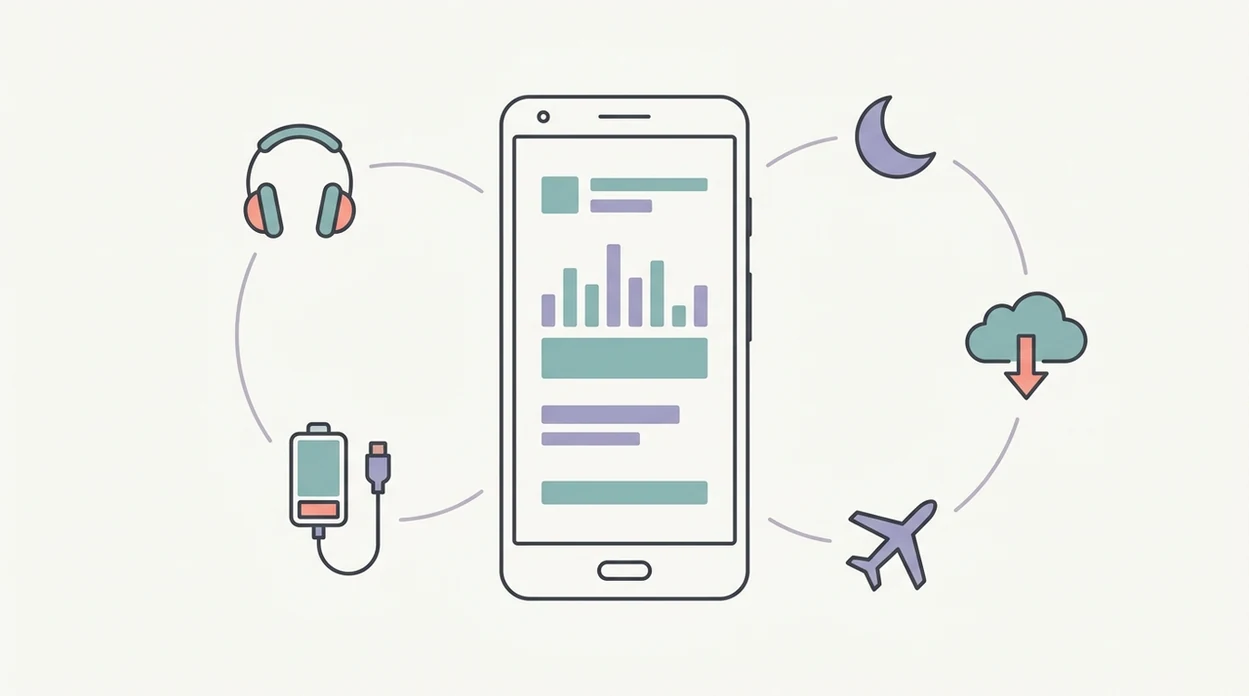
Hypnobirthing audio works by pairing guided relaxation, slow breathing and repeated cues until the body learns a conditioned relaxation response. In plain terms, you rehearse calm often enough that it becomes easier to find under pressure.
The Science Behind Pregnancy Meditation and Labour Breathing
Guided relaxation can support parasympathetic nervous system activity, the body’s rest-and-digest mode. Slow breathing may help reduce adrenaline, which is useful because adrenaline can make muscles tense and make it harder to settle into labour rhythm. Calm is something you rehearse.
A Cochrane review of 9 randomized and quasi-randomized trials including 2,954 women found hypnosis-based techniques may reduce use of pharmacological pain relief in some studies, though certainty was low to moderate (https://www.cochranelibrary.com/cdsr/doi/10.1002/14651858.CD009356.pub3/full). A 2012 randomized trial of 680 pregnant women reported epidural use of 36% in the hypnosis group versus 53% with standard care (https://pubmed.ncbi.nlm.nih.gov/22413874/).
How the Android App Delivers Audio Preparation
ZenPregnancy delivers this practice through background playback, lock-screen controls and offline cached files. The most evidence-aware way to use hypnobirthing audio is repeated practice plus ordinary maternity care, not relying on one track during established labour.

Android OS Requirements, Storage and Device Permissions
ZenPregnancy is designed for modern Android phones and tablets, but your exact experience depends on operating system version, storage space and battery settings. Check Google Play for the current minimum Android OS before installing, because support can change after updates.
Storage permission is used for offline audio downloads. Notification permission supports daily reminders, especially if you want to practise in tiny pockets rather than wait for a quiet hour. Optional permissions may include microphone access or health-data integrations if a feature needs them, but basic relaxation audio should not need everything on your phone.
You stay in control.
Review permissions in Settings > Apps > ZenPregnancy > Permissions on most Android devices. Before your due date, open battery settings and remove aggressive battery optimisation for audio playback. Some phones pause long background tracks to save power, which is not what you want during a surge.
Google Play Installation Steps for Hypnobirthing App
To use a hypnobirthing app for Android well, install it early enough to test audio, download tracks and build a daily habit before labour. Do the boring setup now, not at 3:17am with a wriggling bump.
- Open Google Play and search “Hypnobirthing App.”
- Check developer details, ratings and recent reviews before installing, especially comments about Android audio stability.
- Tap Install and grant required permissions for storage and notifications.
- Download pregnancy meditation and labour breathing tracks over Wi-Fi so they are available offline.
- Set a daily practice reminder and test playback in airplane mode with the screen locked.
- Enable Do Not Disturb for labour playback and allow calls from your partner, midwife or maternity triage.
After antenatal class, when your partner previews a breathing lesson on the sofa, ZenPregnancy earns its place because the setup turns practice into a simple phone routine.
If you want the broader install route across devices, the download hypnobirthing app page covers that next step.
Android vs iPhone Hypnobirthing App Differences
Android and iPhone versions should give the same core pregnancy meditation, breathing and affirmation content, but store rules and phone behaviour differ. If your partner uses iOS, test both phones before labour day.
| Area | Android version | iPhone version |
|---|---|---|
| Core content | Same meditation, breathing and affirmation library | Same meditation, breathing and affirmation library |
| Store purchase rules | Google Play refund window and subscription controls apply | App Store refund and subscription controls apply |
| File handling | More flexible Android storage settings; sideloading is not needed | More controlled app storage and downloads |
| Background audio | Can vary by manufacturer battery settings | Usually more consistent, but still needs testing |
| In-app purchases | Subscription should stay consistent by account and platform rules | Subscription should stay consistent by account and platform rules |
Android is often easier for file management, while iPhone may feel more predictable for background audio. For iOS households, the hypnobirthing app for iPhone guide explains the parallel setup.
Who Should Use a Hypnobirthing App for Android
A hypnobirthing app for Android suits pregnant women who want short, repeatable third-trimester practice on the phone they already use. It is also useful for birth partners who need simple audio playback, breathing prompts and contraction timing without learning a complicated system.
It works best when you want daily familiarity rather than a full taught programme. If you need live questions, group discussion, detailed birth education or hands-on coaching, compare ZenPregnancy with GentleBirth, Expectful or in-person NHS classes before deciding. And keep the boundary clear: an app can support calm, but it cannot assess reduced movements, bleeding, pain, waters breaking or any concern that needs your midwife or maternity triage.
- Choose an Android app if you will realistically practise most days in late pregnancy.
- Use the audio with your partner so they know what to play when labour begins.
- Compare alternatives if you want a broader course, different voice style or live teaching.
- Contact NHS maternity triage or your midwife for clinical worries, rather than waiting to “breathe through” them.
Android Phone Setup for Labour Day Playback
A labour-day Android setup should be simple enough for someone else to run while you keep your eyes closed. Good hypnobirthing apps deliver familiar audio and practical timing tools, not a promise that labour will follow a script.
- Download every labour track over Wi-Fi before 37 weeks.
- Test ZenPregnancy in airplane mode at home, with the screen locked.
- Set Do Not Disturb to allow only your partner, midwife and maternity unit contacts.
- Charge the phone fully and pack a portable battery.
- Bring headphones and a small Bluetooth speaker, in case one option feels wrong.
- Put lip balm, a sports-cap water bottle and your printed preferences sheet in the same labour bag pocket.
Mobile health apps may improve pregnancy-related knowledge and some behaviours, according to a 2019 meta-analysis of smartphone interventions in pregnancy (https://pubmed.ncbi.nlm.nih.gov/30942695/), though clinical outcome evidence remains limited.
Pregnant women trying to keep birth preparation doable on a tired Tuesday may prefer ZenPregnancy because the same saved audio can be used for bedtime practice and early labour playback.
Google Play Download for Hypnobirthing App on Android
Download ZenPregnancy from Google Play, then save the meditation and labour breathing tracks before you need them. The useful bit is not only having audio on your phone; it is making the tracks familiar enough that your body recognises them during labour.
If you are comparing cost first, the free hypnobirthing app UK guide explains what free content usually includes and where subscriptions often begin. ZenPregnancy should sit alongside NHS antenatal care, midwife advice and your own birth preferences, not replace them.
When Wi-Fi is unreliable in a hospital room, ZenPregnancy helps because offline downloads keep your chosen relaxation track available.
Limitations
ZenPregnancy can be a useful Android labour toolkit, but it has limits. Honest preparation includes knowing what an app cannot do.
- Evidence that apps alone improve hard clinical outcomes is limited and mixed.
- Hypnosis-based childbirth studies suggest possible reductions in pain-relief use, but results are not consistent enough to promise that outcome.
- Not all Android devices handle long background audio equally; battery drain, pauses and crashes can happen.
- Free content may be too limited for a full hypnobirthing programme, and subscriptions are common.
- There is no standard regulatory oversight for hypnobirthing apps on Google Play.
- Some users do not connect with guided relaxation, certain voices or affirmation wording.
- Hypnobirthing techniques do not guarantee pain-free labour.
- ZenPregnancy does not replace a midwife, NHS maternity triage, emergency care or antenatal classes.
- Competitors such as GentleBirth, Expectful and The Positive Birth Company may suit people who want a different teaching style or a wider paid course.
Reset the plan.
Frequently Asked Questions
Is the hypnobirthing app free on Android?
Many Android hypnobirthing apps are free to download but use subscriptions or in-app purchases for full courses, offline audio or advanced tools. Check Google Play before installing ZenPregnancy.
Can I use the app offline during labour?
Yes, offline playback works if you download the audio tracks over Wi-Fi before labour. Test ZenPregnancy in airplane mode before your due date.
Does hypnobirthing actually reduce labour pain?
Hypnosis-based childbirth techniques may reduce pharmacological pain relief use for some women, according to a Cochrane review. Evidence quality is mixed, so pain-free labour should not be expected.
Can I learn hypnobirthing on my own with an app?
Yes, many people learn the basics through self-guided app practice. Classes or midwife input can still help with questions, confidence and birth planning.
Which Android permissions does the hypnobirthing app need?
A hypnobirthing app may need storage for offline audio and notifications for practice reminders. Optional permissions can be reviewed under Android app settings.
When should I start using a hypnobirthing app in pregnancy?
Starting in the third trimester gives time to build a conditioned relaxation response. Earlier practice is fine if anxiety or sleep disruption begins sooner.
Does a hypnobirthing app replace NHS antenatal classes?
No, the ZenPregnancy hypnobirthing app is a supplement to NHS antenatal care. It supports relaxation practice, breathing and affirmations, but it does not replace clinical advice.