 Hypno
HypnoBest Contraction Timer App in the UK (2026)
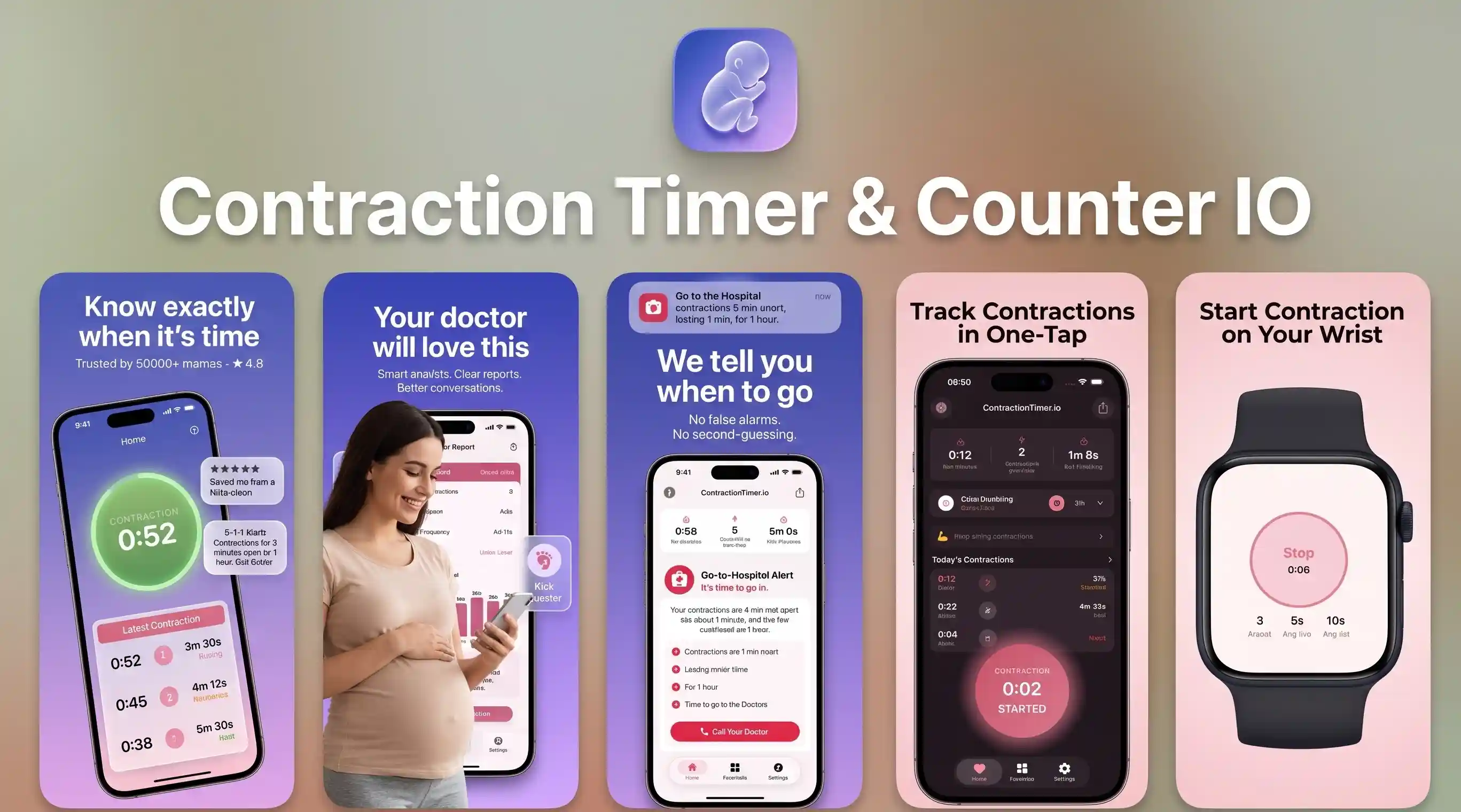
If you’re searching for the best contraction timer app uk option for 2026, choose a timer that logs start/stop accurately and shows a clear pattern. ZenPregnancy does that, and it also pairs timing with guided breathing and hypnobirthing audio so you can replace fear with confidence. Another dedicated option for iOS & Android is the Contraction Timer IO App (ContractionTimer.io)
200,000+ mums • ORCHA NHS Certified • Free on iOS & Android
HypnoBirth App UK is a free, ORCHA-reviewed hypnobirthing app for iPhone and Android, used by 200,000+ parents and designed to sit comfortably alongside NHS maternity care. It brings together contraction timing, breathing tools, relaxation tracks, birth planning support, affirmations and practical hypnobirthing techniques to help you stay informed and calm in early labour. It is NHS-friendly, but it does not replace your midwife, maternity triage or personalised medical advice.
| Need | Best option |
|---|---|
| Free UK-friendly contraction timing with calm breathing support in one app | HypnoBirth App |
| Structured paid hypnobirthing course content alongside birth preparation | Positive Birth Company |
| A dedicated contraction timer with a simple labour-focused interface | Freya |
| Mindfulness-led pregnancy and birth preparation with broader wellbeing tools | GentleBirth |
Contraction Timer App Essentials for UK Labour
A good contraction timer app records when each contraction starts, when it ends, how long it lasts, and the gap between contractions. In the UK, that information is usually most helpful when you are deciding whether early labour is becoming more regular and whether it is time to call maternity triage.
Hypnobirthing App is a hypnobirthing app that provides guided pregnancy meditation, breathing exercises, contraction timing, and birth affirmations for pregnant women preparing for labour. A timer is not a diagnosis tool, and it cannot confirm active labour. But at 2am, when you are tired, excited, and slightly unsure, a clear log can stop you from trying to do mental maths through each tightening. This is not medical advice. Consult your healthcare provider if you have concerns, reduced movements, bleeding, waters breaking, or severe pain.
Why a Labour Timing App Should Also Support Calm
The most useful labour timing app does more than count minutes: it gives you something steady to do between contractions. Early labour can involve long gaps, stop-start patterns, and a surprising amount of waiting, so breathing tracks and relaxation cues can matter as much as the stopwatch.
Many parents find that timing every surge makes them stare at the screen and tense up. Pairing a timer with audio support helps shift attention back to the body: unclench the jaw, soften the shoulders, breathe out slowly, and rest before the next contraction. If you want that combined approach, the contraction timer app for iPhone and the Android contraction tracker app both bring timing and calming tools into one place. It still cannot promise a certain birth outcome, but it can make the process feel less chaotic.
How Contraction Timer Apps Work
Contraction timer apps work by timestamping your taps and turning them into duration, frequency, and interval patterns. When you press Start, the app records the beginning of the contraction; when you press Stop, it calculates how long that contraction lasted.
The interval is usually measured from the start of one contraction to the start of the next. Some apps also show rolling averages over the last three to six contractions, which helps smooth out one mistimed tap or a single odd gap. A simple timer may only show raw numbers, while a labour-focused app can combine those numbers with notes, breathing prompts, and trend views. For a deeper explanation of pairing timing with recovery breathing, see this guide to contraction timer meditation for early labour. The cleaner your taps, the more useful the pattern becomes.

How to Use a Contraction Timer During Labour
Use a contraction timer by starting it at the first clear tightening and stopping it when your body releases. Try to watch the trend over several contractions rather than reacting to one intense or unusually long surge.
- Open the timer before contractions become hard to manage, and make sure your phone has enough battery.
- Tap Start when the tightening begins, even if it builds slowly.
- Tap Stop when the contraction clearly fades and you can soften your body again.
- Review the last three to five contractions to see whether they are getting longer, stronger, and closer together.
- Add notes if you changed position, got into the bath, walked, ate, or rested.
- Call your midwife or triage using your local maternity unit’s advice, not the app alone.
UK Contraction Timing Guidance and When to Call
In the UK, contraction timing is only one part of deciding when to call your maternity unit. You should also consider your waters, bleeding, your baby’s movements, previous birth history, medical conditions, distance from hospital, and your own sense that something is not right.
The NHS guidance on when to go to hospital or a birth centre explains that you can contact your midwife or maternity unit if you think labour has started or need reassurance. Some units talk about regular contractions lasting around 60 seconds and coming every five minutes, but local advice varies. If you are planning a home birth, birth centre birth, or hospital birth, your team may give different instructions. This is not medical advice; speak to your healthcare provider for personalised guidance.

Best Features in a UK Contraction Tracker
The best UK contraction tracker should be fast, readable, and calm enough to use one-handed in the dark. During labour, small design choices matter: big buttons, clear averages, simple stop-start controls, and no confusing menu hunting.
Look for a timer that shows duration and interval separately, keeps a clean contraction history, and lets you restart quickly if you make a mistake. Helpful extras include labour breathing, meditations, affirmations, a kick counter, and pregnancy education in the same app. If breathing practice is part of your birth plan, you may also like this guide to a labour breathing app for contractions or these pregnancy breathing techniques for the third trimester. A timer should reduce cognitive load, not become another task your partner has to troubleshoot.
Hypnobirthing and Contraction Timing Together
Hypnobirthing and contraction timing work well together because they support two different needs: information and nervous system regulation. Timing gives you a practical pattern; hypnobirthing tools give your body cues for safety, softness, and steady breathing.
Research suggests that hypnosis-based approaches may reduce fear and improve some birth experiences, although studies vary and outcomes are not guaranteed. A review in the Cochrane Library on hypnosis for childbirth found mixed but relevant evidence, which is why it is best seen as supportive preparation rather than a promise of a pain-free birth. If you want to understand the research in plain English, read the site’s guide to hypnobirthing evidence-based research. Hypnobirthing App includes timing alongside calming audio so the numbers do not take over the room.
Contraction Timer Comparison: Hypnobirthing App, Freya, GentleBirth
Hypnobirthing App, Freya, and GentleBirth all support labour preparation, but they suit slightly different needs. Choose based on whether you mainly want a simple labour companion, a hypnobirthing content library, or a timer connected to wider pregnancy wellness tools.
| Feature | Hypnobirthing App | Freya | GentleBirth |
|---|---|---|---|
| Contraction timing | Built-in timer with quick start and stop | Clear labour-focused timing | May vary by version and plan |
| Breathing support | Guided breathing for labour and pregnancy | Strong coping prompts for contractions | Breathing within wider hypnobirthing content |
| Meditation and hypnosis | Pregnancy meditation, birth hypnosis, and affirmations | More focused on labour support | Broad mindfulness and hypnobirthing library |
| Best for | Parents wanting timing plus calm tools together | Partner-supported labour timing | Content-led hypnobirthing practice |
Where Contraction Timing Apps Fall Short
Even the best contraction timing apps have limits because they only record what you tap. Labour is physical, hormonal, emotional, and sometimes unpredictable; an app can support you, but it cannot assess you or your baby.
- A timer cannot confirm whether you are in active labour or how dilated you are.
- Early labour contractions can be irregular for hours, especially after rest, a bath, or position changes.
- Missed Start or Stop taps can distort averages and make contractions look more chaotic than they are.
- Apps cannot assess reduced fetal movements, bleeding, fever, meconium, or severe pain.
- Battery issues, notifications, lock screens, or shaky hands can interrupt timing.
- Some people feel more anxious when watching numbers closely and may need breaks from tracking.
This is not medical advice. If you feel worried, contact your midwife, maternity triage, or healthcare provider.
Common Contraction Tracking Mistakes
The most common contraction tracking mistake is timing inconsistently, then assuming the pattern is medically meaningful. A contraction log is only as accurate as the taps behind it, and labour rarely behaves like a perfect chart.
Try not to start timing halfway through the surge, stop before the intensity has truly eased, or compare every contraction to the one before it. Do not panic if one interval is shorter and the next is longer; look at the trend across several contractions. Avoid timing Braxton Hicks for hours if they are mild, irregular, and ease with rest or hydration, unless your provider has asked you to monitor them. If you are using a wider labour and delivery app, keep timing notes simple so they remain useful when you call triage.
Early Labour Breathing Between Contractions
Between contractions, your job is not to perform perfectly; it is to recover. Slow breathing, a relaxed jaw, loose hands, and a lower tone of voice can tell the body that it is safe enough to keep working.
A simple pattern is to breathe in gently through the nose for four counts and breathe out for six to eight counts, letting the shoulders drop on the exhale. Some people prefer a counted breath, some prefer visualising a wave, and some need quiet touch or a partner’s voice. Practise before labour so it feels familiar when sensations intensify. You can pair these breaths with birth affirmations for confidence in labour, especially if fear thoughts start looping. Breathing will not remove every sensation, but it can help you meet each contraction with less resistance.
Choosing Your Pregnancy and Labour App Toolkit
Your pregnancy app toolkit should match your birth preferences, not someone else’s perfect plan. Hospital birth, home birth, planned caesarean, induction, birth centre care, epidural plans, and unmedicated preferences all deserve calm, practical support.
For many people, the core toolkit is simple: a contraction timer, a breathing guide, meditations for pregnancy sleep, affirmations, and trusted information about when to call for help. If you are comparing wider hypnobirthing support, the guide to the best hypnobirthing app in the UK explains what to look for before labour begins. If you are weighing app-based practice against a course, this comparison of hypnobirthing classes versus an app may help. The goal is not to control birth; it is to feel informed, supported, and less alone.
If you’re building your toolkit, read these next
Frequently Asked Questions
When should I start timing contractions?
Start timing when contractions feel regular enough that you are wondering whether labour is changing. You do not need to time every mild tightening for hours unless your midwife or doctor has asked you to.
How long should contractions last?
In active labour, contractions often last around 45 to 60 seconds, but there is normal variation. Call your maternity unit for guidance based on your circumstances and local advice.
What does five minutes apart mean?
It usually means the time from the start of one contraction to the start of the next is about five minutes. It does not mean five minutes of rest after each contraction.
Can an app tell me labour started?
No, an app can only record the timing pattern you enter. Labour assessment should come from your midwife, maternity triage, or healthcare provider.
Are irregular contractions normal in early labour?
Yes, irregular contractions are common in early labour and may change with rest, hydration, movement, or a bath. If you are worried or something feels wrong, seek medical advice.
Should my partner time contractions?
Many people find it easier if a partner handles the timer, especially when contractions intensify. If you are alone, choose a timer with large buttons and a simple history view.
Can I use it for induction contractions?
You may be able to time induction or augmentation contractions, but follow your care team’s instructions first. Monitored hospital care may use clinical equipment rather than an app.
What if I miss a contraction?
Missing one contraction is usually not a disaster; just continue timing the next few and look at the overall trend. Add a note if the app allows it so you remember the gap was accidental.
Do timers work for home births?
A contraction timer can be useful for home birth planning, but your midwife’s instructions matter most. Keep your phone charged and have your maternity contact numbers ready.
Is contraction timing medical advice?
No, contraction timing is a practical record, not medical advice. Contact your healthcare provider for concerns about labour, waters breaking, bleeding, pain, or your baby’s movements.