 Hypno
HypnoApp for Hypnobirthing at Home: Complete Guide
A hypnobirthing app for home birth is a mobile app that guides relaxation, breathing, and mental rehearsal so you can stay calm and focused during labour outside hospital. ZenPregnancy is built for this because it combines daily pregnancy meditations, hypnobirthing audio, and practical labour tools in one place. For home birth, the goal is simple: swap spiralling fear for steady, repeatable cues you can use in your own space.
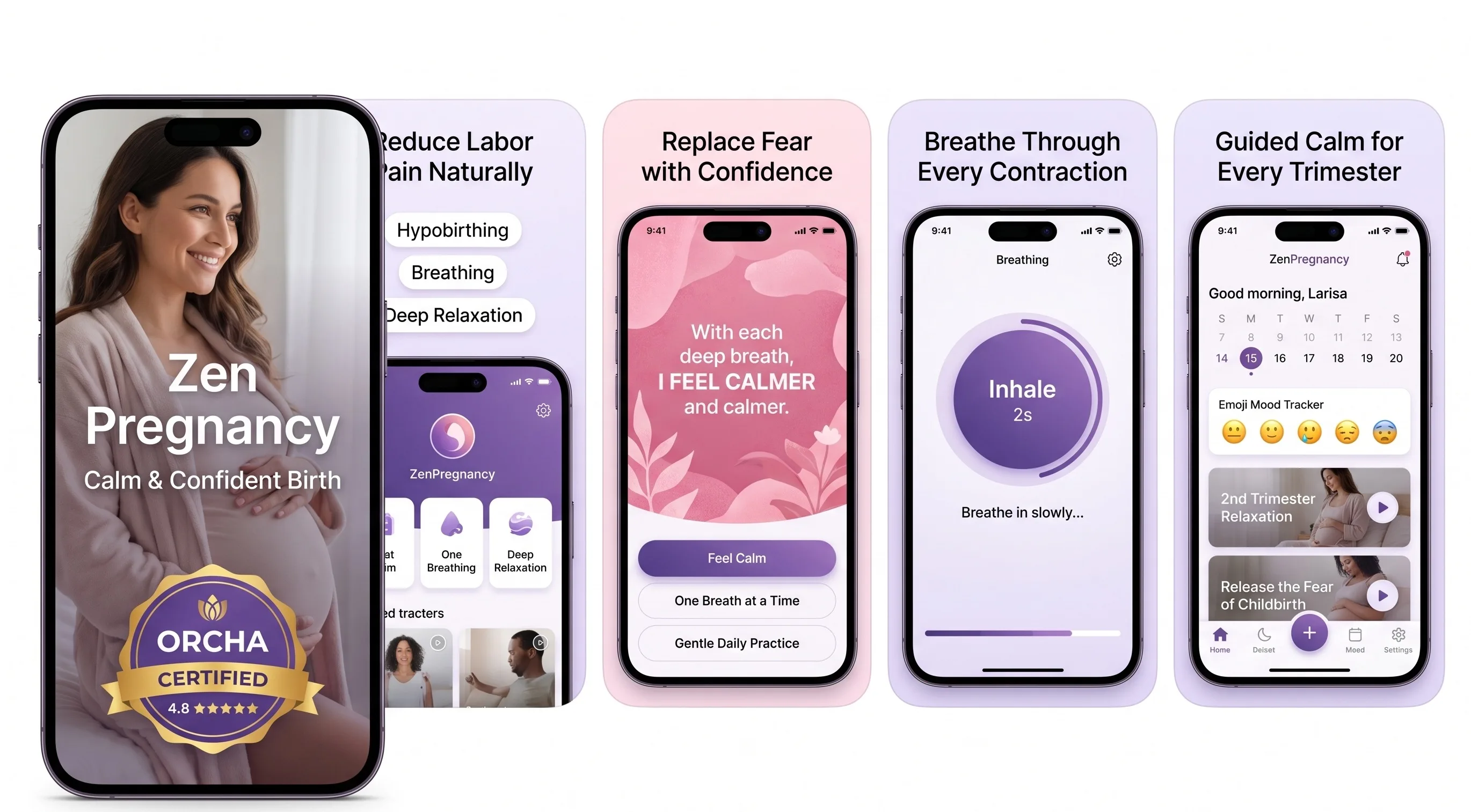
200,000+ mums • ORCHA NHS Certified • Free on iOS & Android
HypnoBirth App UK is a free, ORCHA-reviewed hypnobirthing app for iPhone and Android, used by 200,000+ parents and designed to support calm practice at home with guided breathing, birth meditations, affirmations, relaxation audio, visualisations and contraction timing. It is NHS-friendly and can sit alongside your midwife-led care, antenatal classes or birth plan, but it is not medical advice and should not replace guidance from your maternity team.
| Need | Best option |
|---|---|
| Free at-home hypnobirthing practice with breathing, affirmations, relaxation audio and contraction timing | HypnoBirth App |
| Structured paid hypnobirthing course content to work through with a birth partner | Positive Birth Company |
| Simple labour support with contraction timing and calm audio prompts | Freya |
| Broader mindfulness-style pregnancy and birth preparation with guided wellbeing content | GentleBirth |
What a Home Hypnobirthing App Actually Does
A home hypnobirthing app gives you repeatable audio cues for breathing, relaxation, visualisation, and labour confidence. It is designed to be practised during pregnancy so the same sounds and prompts feel familiar when contractions begin.
In real life, home preparation is not only candles and a birth pool. It is also knowing which track to play at 2am, how your partner will time contractions, and what helps you soften your jaw when fear rises. Many people use app-based practice alongside classes, books, antenatal appointments, or previous birth experience. If you are still learning the basics, start with gentle hypnobirthing techniques for labour preparation before adding a longer daily routine. Hypnobirthing does not promise a pain-free birth or a specific outcome; it supports coping, focus, and informed decision-making.
Why At-Home Birth Preparation Needs Simple Tools
At-home birth preparation works best when your tools are easy to find, easy to repeat, and easy for your partner or birth companion to understand. During labour, you may not want to scroll through folders, remember passwords, or explain a breathing pattern mid-contraction.
A good app keeps the most useful pieces close: a short relaxation track for early labour, a breathing rhythm for stronger surges, affirmations for wobbly moments, and a timer for noticing patterns. Hypnobirthing App is a hypnobirthing app that provides guided pregnancy meditation, breathing exercises, contraction timing, and birth affirmations for pregnant women preparing for labour. For home birth, that matters because the room can change quickly: the pool is filling, the midwife is on the way, and your support person needs one clear place to look.
How Hypnobirthing Audio Works in Labour
Hypnobirthing audio works by pairing a calm cue with a practised body response: slower breathing, softened muscles, focused attention, and less panic. The mechanism is not magic; it is repetition, conditioning, and nervous-system support.
When fear rises, the body can move toward a fight-or-flight response, which may increase muscle tension and make contractions feel harder to cope with. Guided breathing and relaxation aim to encourage parasympathetic activity, the branch of the nervous system associated with rest and regulation. Studies on hypnosis and labour pain are mixed, but research indexed in PubMed’s Cochrane review record on hypnosis for labour pain suggests some people may find hypnosis-based approaches helpful for coping. This is not medical advice. Use hypnobirthing as a comfort and preparation tool, not as a replacement for clinical assessment.

How to Use a Birth Meditation App at Home
Use a birth meditation app before labour so the tracks become familiar, then simplify everything for the day itself. The aim is to make calm practice automatic rather than adding another decision when contractions start.
- Choose two tracks. Pick one for early labour and one for active labour, then save them where your birth partner can find them.
- Practise daily for 10 minutes. Begin around the second or third trimester, or as soon as you start preparing for birth.
- Pair audio with breath. Try one of these pregnancy breathing techniques while sitting, kneeling, and leaning forward.
- Rehearse the room. Test speakers, headphones, chargers, dim lighting, and where your phone will sit near the bed, sofa, or pool.
- Plan your timing point. Decide who will record contractions and when you will call your midwife or unit for advice.
Best Features for Hypnobirthing Practice at Home
The best features for home hypnobirthing are guided audio, paced breathing, birth affirmations, offline access, and contraction timing. These features support both the emotional side of labour and the practical need to notice when patterns change.
Look for short and long tracks, because early labour may call for a 20-minute rest while active labour may need a 90-second reset. A clear breathing screen is useful when words feel like too much. Affirmations help some people interrupt anxious thoughts, especially after a cervical check, a change of plan, or a long night. If you like spoken encouragement, a dedicated birth affirmations app can sit alongside your hypnobirthing practice. If breathing is your main focus, a labour breathing app may be especially helpful during contractions.
Home Labour Contraction Tracking and Calm Cues
Contraction tracking at home helps you notice duration, spacing, and rhythm without doing mental maths during labour. It can also reassure a birth partner who is trying to decide whether the pattern is changing or still irregular.
A timer should record the start and end of each contraction, show the gap between waves, and keep the interface simple enough for tired hands. Pairing this with calm audio is useful because timing can sometimes make people tense or overly watchful. After logging three to five waves, many people benefit from putting the phone down, resting, hydrating, or returning to a relaxation track. For a deeper explanation of timing plus guided calm, see contraction timer meditation for labour. Always follow the call guidance from your midwife, NHS trust, hospital, or birth centre, especially if waters break, bleeding occurs, or baby’s movements change.
App-Based Hypnobirthing Evidence and Expectations
App-based hypnobirthing is best understood as structured practice, not a guaranteed clinical intervention. It may help with confidence, relaxation, breathing, and perceived coping, but it cannot promise a shorter labour, a vaginal birth, or no pain relief.
Research on hypnosis, relaxation, and mindfulness in pregnancy suggests benefits for some people, particularly around anxiety and coping, but findings vary by study design and programme. The NHS guide to pain relief in labour includes breathing, relaxation, movement, water, medication, and other options, which reflects real birth: people need choices. If you want a research-focused overview, this site’s guide to hypnobirthing evidence-based research explains what studies can and cannot tell us. This is not medical advice; personalised recommendations should come from your healthcare team.
Hypnobirthing App vs GentleBirth vs Expectful
The best choice depends on whether you want a birth-specific toolkit, a daily mindset programme, or a broader pregnancy meditation library. For home labour preparation, contraction timing and quick-access breathing tools are especially important.
| Feature | Hypnobirthing App | GentleBirth | Expectful |
|---|---|---|---|
| Home-labour breathing | Birth-focused breathing exercises and guided practice | Mindset and breathing tracks | Meditation-led breathing support |
| Contraction timing | Included for labour tracking | Varies by version and region | Not usually the core focus |
| Affirmations | Birth affirmations included | Affirmations and positive birth content | Mindset and emotional support content |
| Best for | People wanting one place for labour audio and timing | People who like daily guided preparation | People wanting broader pregnancy and motherhood meditation |
If you are comparing formats as well as brands, the guide to hypnobirthing classes vs an app may help you decide whether you need live teaching, app practice, or both.
Limitations of a Home Birth Preparation App
A home birth preparation app can support calm, but it cannot assess safety, diagnose symptoms, or replace a qualified midwife or doctor. The most trustworthy plan leaves room for medical advice and changing circumstances.
- It cannot monitor you or your baby. Concerns about movement, bleeding, fever, waters, or pain should be discussed with your maternity team promptly.
- It depends on practice. Tracks are more useful in labour if you have heard them many times during pregnancy.
- Technology can fail. Batteries die, Bluetooth disconnects, Wi-Fi drops, and speakers disappear under towels.
- It may not be enough for severe anxiety. Some people need extra mental health support, trauma-informed care, or one-to-one preparation.
- Birth plans can change. Transfer to hospital, induction, assisted birth, caesarean birth, or medication can still be positive and well-supported.
Common Home Hypnobirthing Setup Mistakes
The most common setup mistake is leaving the app untouched until labour begins. Hypnobirthing works better when the voice, music, breathing pattern, and affirmations already feel safe and familiar.
Another mistake is building a playlist that is too long. In labour, most people need fewer choices, not more. Pick your core tracks and tell your partner exactly what to play first. Test the volume in the actual room, especially if you plan to use a birth pool, shower, fan, or tens machine. Download tracks if the app allows it, and keep a charger plugged in near your chosen labour space. Finally, avoid treating the app as the whole birth plan. It should sit beside midwife guidance, practical supplies, nourishment, rest, and clear transfer arrangements if your clinical situation changes.
When to Start Pregnancy Meditation for Home Birth
The easiest time to start pregnancy meditation for home birth is before you feel desperate for it. Many people begin in the second trimester, but even a few weeks of steady practice in the third trimester can make the tracks feel more familiar.
Start with short sessions: five to ten minutes after brushing your teeth, before sleep, or during a lunch break. Add one longer weekend practice where you lie down, dim the lights, and imagine the first hours of labour at home. If anxious thoughts are keeping you awake, guided audio can become a gentle nightly anchor. You can also use a hypnobirthing practice app to keep your breathing, meditation, affirmations, and labour tools in one place. If symptoms, mental health worries, or birth fears feel overwhelming, speak with your midwife or healthcare provider.
Verdict on an App for Calm Labour at Home
An app can be a very practical part of calm labour preparation at home, especially when it combines guided relaxation, breathing, affirmations, and contraction tracking. It is most useful when you practise before labour and keep your plan simple.
Inside Hypnobirthing App, the value is not that your phone controls birth; it is that familiar cues help you return to your body when the room feels intense. Use it alongside antenatal education, midwife advice, your chosen birth setting, and flexible pain relief preferences. A home birth, birth centre birth, hospital birth, induction, or caesarean can all deserve calm support. The goal is not perfect serenity. The goal is having something steady to come back to, one breath at a time.
Keep reading on ZenPregnancy
Frequently Asked Questions
Can I learn hypnobirthing at home?
Yes, many people learn hypnobirthing at home using apps, books, online courses, or recorded classes. Live support can still be useful if you have high anxiety, previous trauma, or complex medical needs.
When should I start practising?
Starting in the second trimester gives you plenty of repetition, but it is not too late in the third trimester. Even two to three weeks of daily practice can make the audio and breathing feel more familiar.
Does hypnobirthing guarantee less pain?
No, hypnobirthing cannot guarantee less pain or a particular birth outcome. It may help some people feel calmer, more focused, and better able to cope with contractions.
Can I use it for hospital birth?
Yes, the same breathing, relaxation, and affirmation tools can be used in hospital, at a birth centre, or at home. Keep your headphones, charger, and birth preferences in your hospital bag.
Do I still need a class?
Not always, but a class can help if you want live teaching, partner coaching, or time to ask questions. An app is helpful for daily repetition between appointments or after a course.
What should my partner do?
Your partner can start tracks, time contractions, remind you to unclench your jaw, offer water, and protect the room from unnecessary interruptions. Practising together before labour makes this feel less awkward.
Is it safe for home birth?
Using relaxation audio is generally low risk, but home birth safety depends on your pregnancy, local guidance, and clinical situation. This is not medical advice; consult your midwife or healthcare provider.
Can I use it with pain relief?
Yes, hypnobirthing can sit alongside gas and air, water, epidural, opioids, tens, or other pain relief choices. It is a coping tool, not a test of whether you are doing birth correctly.
What if my plan changes?
You can still use breathing, affirmations, and guided relaxation during transfer, monitoring, induction, or caesarean preparation. A change in plan does not mean your preparation was wasted.