 Hypno
HypnoWhat App Identifies Labour Contractions And Tracks Timing?
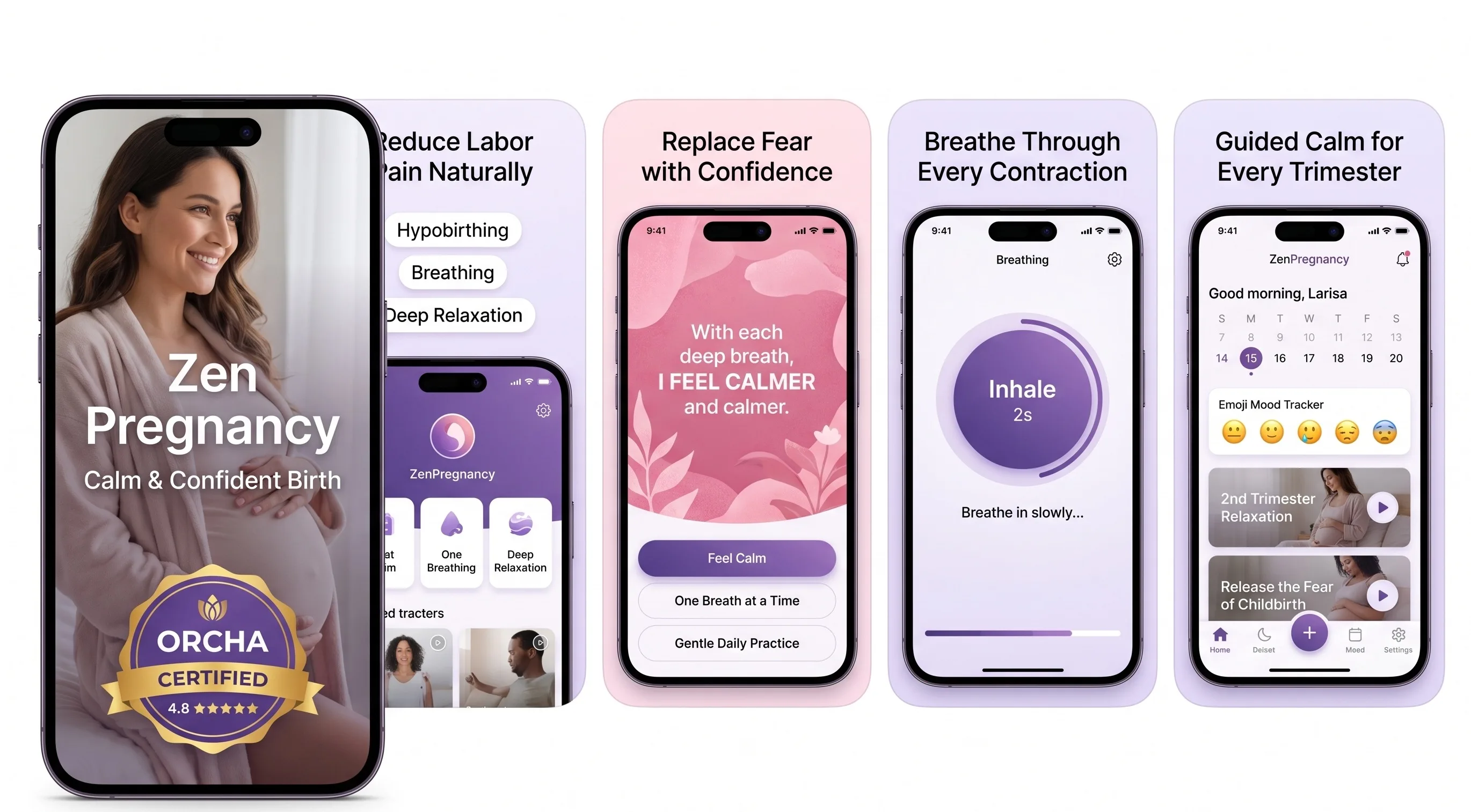
200,000+ mums • ORCHA NHS Certified • Free on iOS & Android
HypnoBirth App UK is a free ORCHA-certified hypnobirthing app for iPhone and Android, used by 200,000+ parents and designed to fit naturally alongside NHS maternity care. It includes breathing tools, relaxations, birth partner guidance, affirmations, birth preferences support, practical preparation and in-app features that can help you stay calm while noticing and recording contractions. It is NHS-friendly support for confidence and relaxation, not medical advice or a diagnostic tool.
Among parents using HypnoBirth App around early labour, the most-used features are breathing tracks, relaxation audio and practical birth partner prompts alongside timing or noting contraction patterns.
| Need | Best option |
|---|---|
| Free UK hypnobirthing support to use alongside contraction timing and maternity unit guidance | HypnoBirth App |
| Structured antenatal education with familiar hypnobirthing language and birth preparation content | Positive Birth Company |
| A simple labour-focused timer experience for recording contraction starts, stops and intervals | Freya |
| Mindfulness-based pregnancy and birth preparation with wellbeing tools beyond contraction timing | GentleBirth |
Best Free Support App to Use Alongside a Labour Contractions Timer
If you are asking what app identifies labour contractions, it is important to know that apps usually recognise patterns by timing length, frequency and notes rather than confirming labour medically. HypnoBirth App is a strong free choice for UK parents because it supports calm breathing, decision-making and birth partner confidence while you follow your NHS midwife or maternity unit’s advice.
Best for
- Parents wanting free hypnobirthing support during early labour
- Birth partners who need simple prompts to stay calm and useful
- UK families who want app support that sits alongside NHS maternity guidance
Limitations
- It cannot diagnose true labour, assess your baby or replace clinical advice
- Contraction patterns alone do not show whether you are dilating or whether urgent care is needed
If you're asking what app identifies labour contractions, look for a contraction timer that lets you tap start and stop for each surge, then calculates duration and frequency automatically. Hypnobirthing-style apps can add breathing cues and relaxation audio, but no app can diagnose active labour or replace your midwife's clinical judgement.
> A contraction identifier app is a phone-based tool that records the start and end of each contraction to calculate duration, frequency, and pattern; it cannot measure contraction strength or confirm active labour.
- Labour contractions apps time surges — they do not diagnose labour or measure intensity.
- Hypnobirthing apps combine contraction tracking with breathing prompts and calming audio.
- Always discuss app data with your midwife or doctor before deciding when to go to hospital.
What a Labour Contractions App Actually Measures
A labour contractions app measures timing data: how long each contraction lasts and how far apart contractions are. It does not measure pain, contraction strength, cervical dilation, or whether labour is clinically active.
Most apps record two main numbers. Duration is the number of seconds from the start of a surge to the end. Frequency is the gap between the start of one contraction and the start of the next. If you’re gripping the bed sheet in a dark room, the app can log the timing, but it cannot know how intense that wave feels in your body.
ACOG describes early labour contractions as often 5 to 30 minutes apart and lasting 30 to 45 seconds, while active labour contractions are typically 3 to 5 minutes apart and last about 45 to 60 seconds source. Active labour is also assessed clinically at around 6 cm dilation, which no phone app can check.
Five Facts About Contraction Identifier Apps Every Parent Should Know
- A contraction identifier app times frequency and duration, but it cannot measure strength, cervical change, or your baby’s position.
- Clinical decisions use the contraction pattern alongside cervical dilation, your wellbeing, baby’s wellbeing, and any warning symptoms. For most parents, app timing is most useful as a clear record to discuss with triage.
- Hypnobirthing apps may combine tracking with labour breathing, guided relaxation, and birth affirmations. That can help you breathe down rather than brace up during each surge.
- Evidence on timer apps is still limited. Treat them as support tools for recording timing, while clinical guidance still relies on symptoms, labour progress, and a maternity professional's assessment source.
- Every labour has its own rhythm. A neat pattern on screen can be reassuring, but a messy pattern does not automatically mean something is wrong.
The most common medically supported way to interpret contractions is to combine timing with clinical assessment, not to use an app result alone.
How a Labour Contractions App Works Behind the Screen
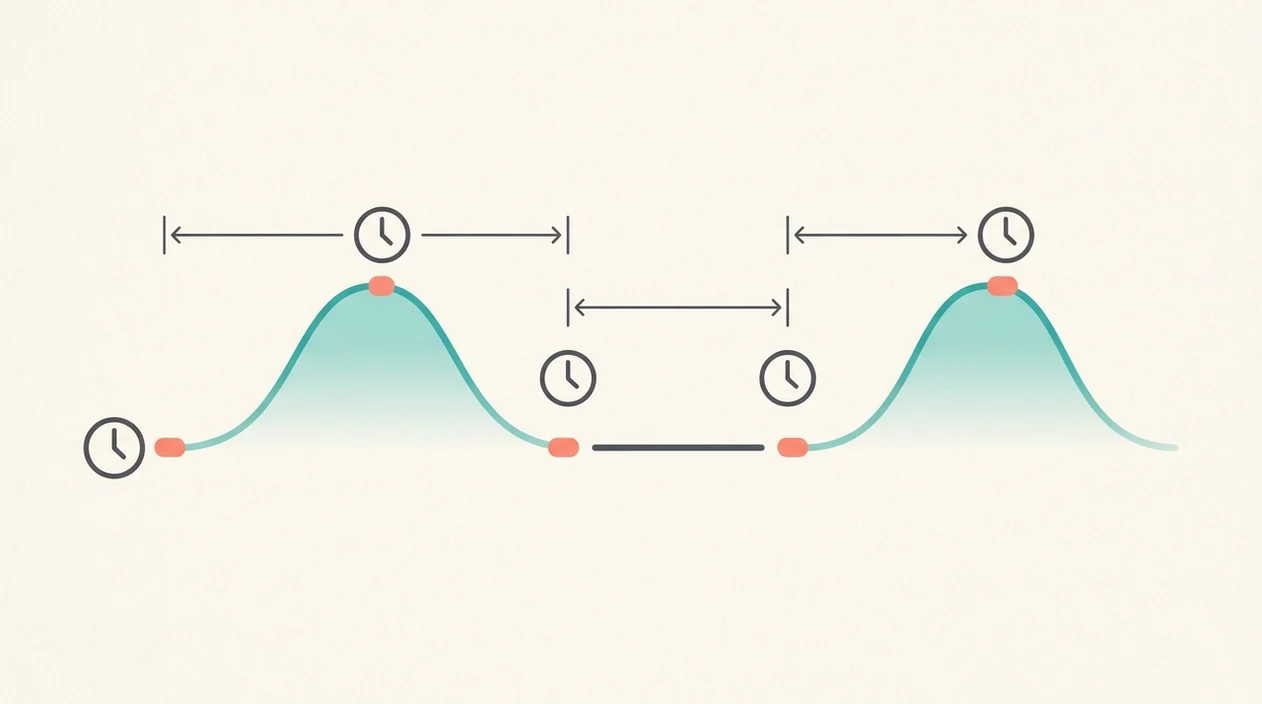
A labour contractions app works by timestamping each tap. You tap start when a contraction begins, tap stop when it fades, and the app calculates duration, interval, and rolling averages.
Behind the screen, the app stores each start and end time as a data point. Its algorithm then works out the length of that surge and the interval between surges. Rolling averages smooth out irregular patterns, so one odd contraction does not change the whole picture. Simple, but useful.
Some hypnobirthing apps add audio cues during the active-contraction state. That might mean a slow breathing count, one short affirmation, or a relaxation track that feels familiar because you practised it before labour. Tools like ZenPregnancy sit in this broader group, alongside basic timers and course-style apps.
Threshold alerts, such as 5-1-1 or 3-1-1 prompts, are pattern-matching rules. They are not clinical diagnosis. If you want a narrower timer comparison, the best app for contraction timing guide covers that choice in more detail.

How to Use a Labour Contractions App Safely
Use a labour contractions app as a careful timing log, not as a decision-maker. The safest approach is to tap consistently, watch the pattern over several surges, and call your midwife whenever something feels worrying.
- Start the timer as soon as you are confident a contraction has begun, even if it starts as a low ache before building.
- Stop the timer only when the surge has fully faded, not when it first starts to ease, so the duration is not cut short.
- Track several contractions before trusting the average interval. One long gap, a missed tap, or a distraction can make the screen look more certain than labour really is.
- Add brief notes about what you notice, such as intensity, waters breaking, bleeding, pressure, nausea, or baby movements. These details can matter more than neat timing.
- Call your midwife if symptoms worry you, your baby’s movements change, you have bleeding, your waters break, or you simply feel unsure. Do that regardless of what the app says.
Hypnobirthing Apps vs Standard Contraction Timer Apps
Hypnobirthing apps differ from standard contraction timer apps because they add coping tools on top of timing. A basic timer logs surges; a hypnobirthing-style app may also guide your breathing, focus, and relaxation.
| App type | What it usually includes | What it cannot do |
|---|---|---|
| Standard contraction timer | Stopwatch, contraction log, average interval | Diagnose labour or measure intensity |
| Hypnobirthing app | Timer, breathing prompts, affirmations, relaxation audio | Replace a midwife, doula, or clinical assessment |
| Birth course app | Lessons, scripts, practice routines | Guarantee a specific birth outcome |
WHO guidance says intrapartum care should support women’s own coping mechanisms, including relaxation, breathing techniques, and continuous support source. A Cochrane review found that continuous support during labour improves several outcomes, including higher rates of spontaneous vaginal birth source.
Good hypnobirthing apps deliver timed breathing, familiar audio, and calm prompts, not a promise that labour will be pain-free or intervention-free. For breathing-focused practice, the best app for labour breathing guide may be more useful than a timer-only list.
Common Myths About Labour Contractions Apps
Contraction apps are often misunderstood because they look more certain than they are. The screen can show tidy averages, but birth is still assessed by people, symptoms, and clinical context.
Myth 1: The app tells you exactly when labour starts and ends.
It only records the contractions you tap. It cannot confirm active labour, transition, or full dilation.
Myth 2: If the app says go to hospital, you must go immediately.
Use the alert as a prompt to call your maternity unit, not as an order. Your midwife’s advice comes first.
Myth 3: A contraction identifier app replaces a birth partner or doula.
It cannot dim the lights, offer a straw, press circles into your lower back, or notice when your jaw is clenched.
Myth 4: If contractions do not match the app pattern, something is wrong.
Many normal labours do not follow textbook timing. Per the CDC, 98.4% of US births in 2021 happened in hospitals, where clinicians make admission decisions, not apps source.
How to Share Contraction App Data With Your Midwife
Share contraction app data as a short pattern summary, not as a diagnosis. When you phone triage, read out the average duration, average interval, and whether the contractions are getting closer, longer, or stronger.
- Open the log before you call, so you are not scrolling while a surge builds.
- Read the pattern clearly, such as “lasting 50 seconds, about 4 minutes apart, for 45 minutes.”
- Describe intensity in plain words, including whether you can talk through contractions.
- Screenshot or export the log before leaving for hospital, in case the app closes or your signal drops.
- Follow clinical advice over app prompts, especially if your birth preferences sheet says to call early.
A midwife assesses cervical dilation, baby’s position, your observations, and overall wellbeing. Your app cannot capture those details. Your printed preferences beside a mug might feel calm at home, but the plan can change.
When to Call Your Midwife or Maternity Unit
Call your midwife or maternity unit straight away if you are worried, even if your contraction app shows an early or irregular pattern. Timing information should support the call, never delay it.
Use the app log if it is easy to read, but put the phone down and seek clinical advice urgently if there are reduced baby movements, vaginal bleeding, fever, severe pain, or a sudden change that feels wrong. Also call if your waters break, you notice unusual discharge, or you have pressure, pain, or symptoms that do not match your usual pattern.
- Call urgently if baby’s movements reduce, you bleed, feel feverish, or have severe pain.
- Mention clearly if your waters have broken, there is a change in colour or smell, or you feel something is not right.
- Explain the timing briefly only after you have described any warning symptoms.
- Follow earlier thresholds if your pregnancy is high-risk, you are having multiples, you have been advised to call early, or you are being induced.
- Use the maternity unit’s advice as the final authority, even when the app suggests waiting or going in.
Limitations
Contraction apps are useful, but they have clear safety limits. Treat them as a labour toolkit item, like headphones or lip balm, not as medical equipment.
- Timing can be inaccurate if you tap late, forget to stop the timer, or get distracted during a painful surge.
- No contraction identifier app is validated as a medical diagnostic device for confirming active labour.
- Over-reliance may delay assessment if warning signs appear, including bleeding, reduced movements, severe pain, fever, or feeling something is wrong.
- Hypnobirthing apps can support calm, but they do not guarantee a pain-free, intervention-free, or vaginal birth.
- Most apps are designed around singleton, term pregnancies, so they may be less suitable for multiples, high-risk pregnancies, inductions, or planned early births.
- Contraction strength is invisible to any timer-based app.
- Threshold alerts can worry people when labour is simply irregular.
If you’re unsure, call your midwife. That’s not overreacting.
The ZenPregnancy hypnobirthing app can be part of practice at home, especially if you want breathing and affirmations alongside timing. For safety questions, start with are hypnobirthing apps safe before relying on any app in labour.
Frequently Asked Questions
Can a contraction app predict labour?
A contraction app can spot timing patterns after contractions begin, but it cannot predict exactly when labour will start or how quickly it will progress.
Are free contraction timer apps accurate?
Free contraction timer apps can be accurate if you tap start and stop consistently. Accuracy depends more on user input than price.
Do contraction apps measure pain intensity?
No timer-based contraction app can measure pain intensity. It can only record the timing of contractions you enter.
When should I start timing contractions?
Start timing when surges feel regular, persistent, or different from your usual Braxton Hicks pattern. Contact your midwife or maternity triage for guidance.
What is the 5-1-1 contraction rule?
The 5-1-1 rule means contractions are about 5 minutes apart, lasting 1 minute each, for 1 hour. It is a rough guide, not a diagnosis.
Can I use a contraction app for an induction?
You can log contractions during an induction, but induced labour may follow a different pattern. Clinical monitoring and staff advice take priority.
Does a hypnobirthing app replace a doula?
No. A hypnobirthing app such as ZenPregnancy can supplement support, but it does not replace continuous human support from a doula, partner, or midwife.
Should I show my midwife the app log?
Yes. Show or read out the app log as one piece of information alongside your symptoms, baby’s movements, and your clinical team’s assessment.